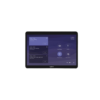
Logitech Tap
₨ 180,000
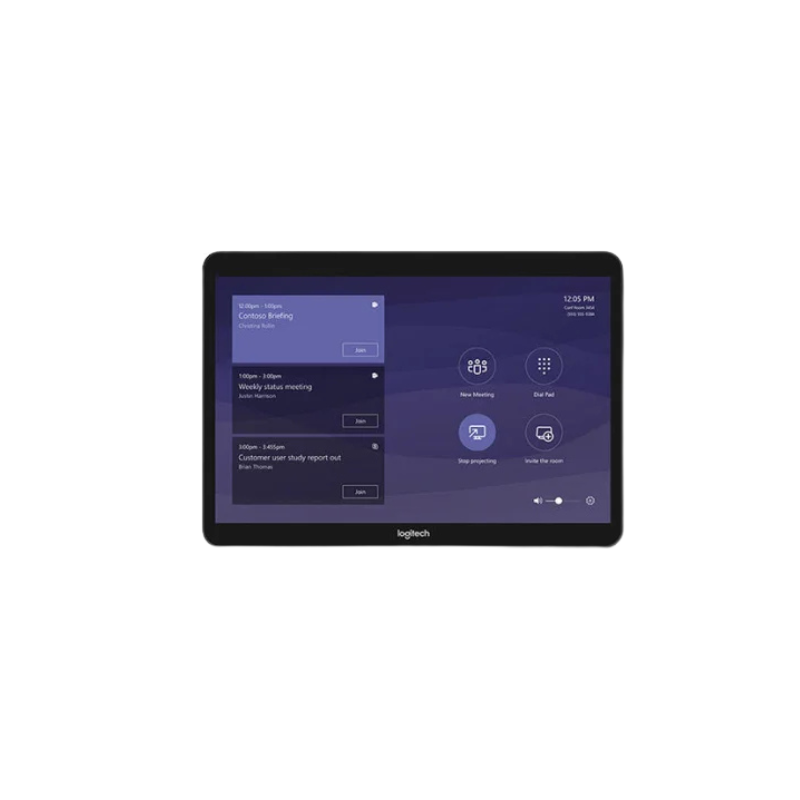
The Logitech Tap is a sleek touch-screen controller, streamlining video conferencing and room automation. Its user-friendly interface and compatibility with major collaboration platforms enhance meeting efficiency. With hassle-free setup and management, it ensures seamless control of audiovisual equipment, creating productive and engaging meetings.
Key Features:
-
Touchscreen interface – Easy meeting control and navigation
-
One-touch join – Quick access to scheduled meetings
-
Platform compatibility – Works with major conferencing systems
-
Flexible mounting options – Table, wall, or riser installation
-
Integrated cable management – Clean and organized setup
Use Case: Ideal for meeting rooms and boardrooms requiring simple and efficient video conferencing control.
Smart and Simple Meeting Room Control
The Logitech Tap Meeting Room Touch Controller is an advanced room control solution designed to simplify video conferencing and improve collaboration in modern workplaces. Featuring a spacious 10.1-inch touchscreen, intuitive controls and flexible connectivity, Logitech Tap provides a convenient way to manage meetings, join scheduled calls and share content from a centralized interface.
Designed for corporate offices, boardrooms, conference rooms and collaborative workspaces, Logitech Tap integrates with compatible Microsoft Teams Rooms, Zoom Rooms and Google Meet solutions. Its user-friendly interface helps employees start meetings with a single touch, reducing setup time and making everyday collaboration more efficient.
Whether your organization is upgrading its meeting room technology or implementing a consistent conferencing experience across multiple locations, Logitech Tap offers a professional and practical control solution.
Key Features of Logitech Tap
Logitech Tap combines an intuitive touchscreen interface with advanced connectivity and installation features.
- 10.1-inch capacitive touchscreen display.
- 1280 x 800 screen resolution.
- Anti-glare and anti-fingerprint oleophobic coating.
- One-touch meeting joining and calendar integration.
- Compatible with Microsoft Teams Rooms, Zoom Rooms and Google Meet deployments.
- USB Type-C connection to the host computer.
- HDMI input for supported content-sharing configurations.
- Integrated PIR motion sensor for automatic wake-up.
- Built-in ultrasonic speaker.
- Integrated cable retention and strain relief system.
- 100 x 100mm VESA mounting compatibility.
- Optional table, riser and wall mounting accessories.
10.1-Inch Touchscreen for Easy Meeting Management
One of the main advantages of the Logitech Tap is its large 10.1-inch touchscreen, which provides a clear and convenient interface for controlling conference room activities. With a resolution of 1280 x 800 pixels, the display presents meeting information, scheduling options and available controls in an organized format.
Its capacitive touch technology enables responsive navigation, allowing users to access meeting functions without complicated procedures. The anti-glare and oleophobic coating helps minimize reflections and fingerprints, keeping the screen clean and easy to operate throughout the working day.
One-Touch Meeting Access and Calendar Integration
Logitech Tap simplifies the process of starting and managing business meetings. With compatible room system configurations, employees can view scheduled meetings and join calls with a single touch.
It supports Microsoft Teams Rooms on Windows, Zoom Rooms and Google Meet deployments, depending on the host system and configuration. This makes it easier for organizations to maintain a consistent meeting experience across different conference rooms.
The intuitive interface reduces the need for manual meeting setup, helping employees focus more on discussions and collaboration rather than technical arrangements.
Flexible Connectivity and Content Sharing
The Logitech Tap offers multiple connectivity options to support professional conferencing installations. Its USB Type-C interface connects the controller to a compatible host computer, while the USB Type-A port supports accessory connections.
An integrated HDMI input enables supported content-sharing configurations, allowing users to bring presentation content into compatible video conferencing systems. A 3.5mm four-pole headset jack provides an additional audio connection option.
The included Cat5e kit supports flexible installation, with compatible cabling allowing the controller to be positioned up to 40 metres from the host system using supported cable configurations.
Intelligent Motion Detection and Professional Design
Logitech Tap includes an integrated PIR motion sensor that detects room activity and helps keep the controller ready for use. Its low-profile design provides a professional appearance without occupying unnecessary meeting table space.
Built-in cable retention and strain relief mechanisms help maintain secure connections and organized installations. The standard 100 x 100mm VESA mounting interface also supports flexible placement using compatible mounting accessories.
Ideal Applications of Logitech Tap
The Logitech Tap is suitable for corporate boardrooms, executive meeting rooms, educational institutions, collaborative offices and enterprise conference environments. It is particularly useful for organizations that want simplified meeting management, convenient content sharing and consistent video conferencing controls.
Buy Logitech Tap in Pakistan
Looking for the Logitech Tap Meeting Room Touch Controller in Pakistan? Technology Bazar offers professional video conferencing equipment and workplace collaboration solutions for modern businesses. Explore Logitech Tap to simplify meeting room operations with intuitive touchscreen controls, flexible connectivity and seamless conferencing integration.
Only logged in customers who have purchased this product may leave a review.
Related products
Video Conferencing
Video Conferencing
Video Conferencing
Video Conferencing
Video Conferencing
Video Conferencing

Video Conferencing
Video Conferencing
Reviews
There are no reviews yet.